

One connected cafeteria platform

Everything your cafeteria needs. One flow everyone can follow.

Connect checkout, student accounts, family funding, menus, and reporting so every person sees the right next step—from the lunch line to the family portal.

Verified checkout Family visibility Operational clarity
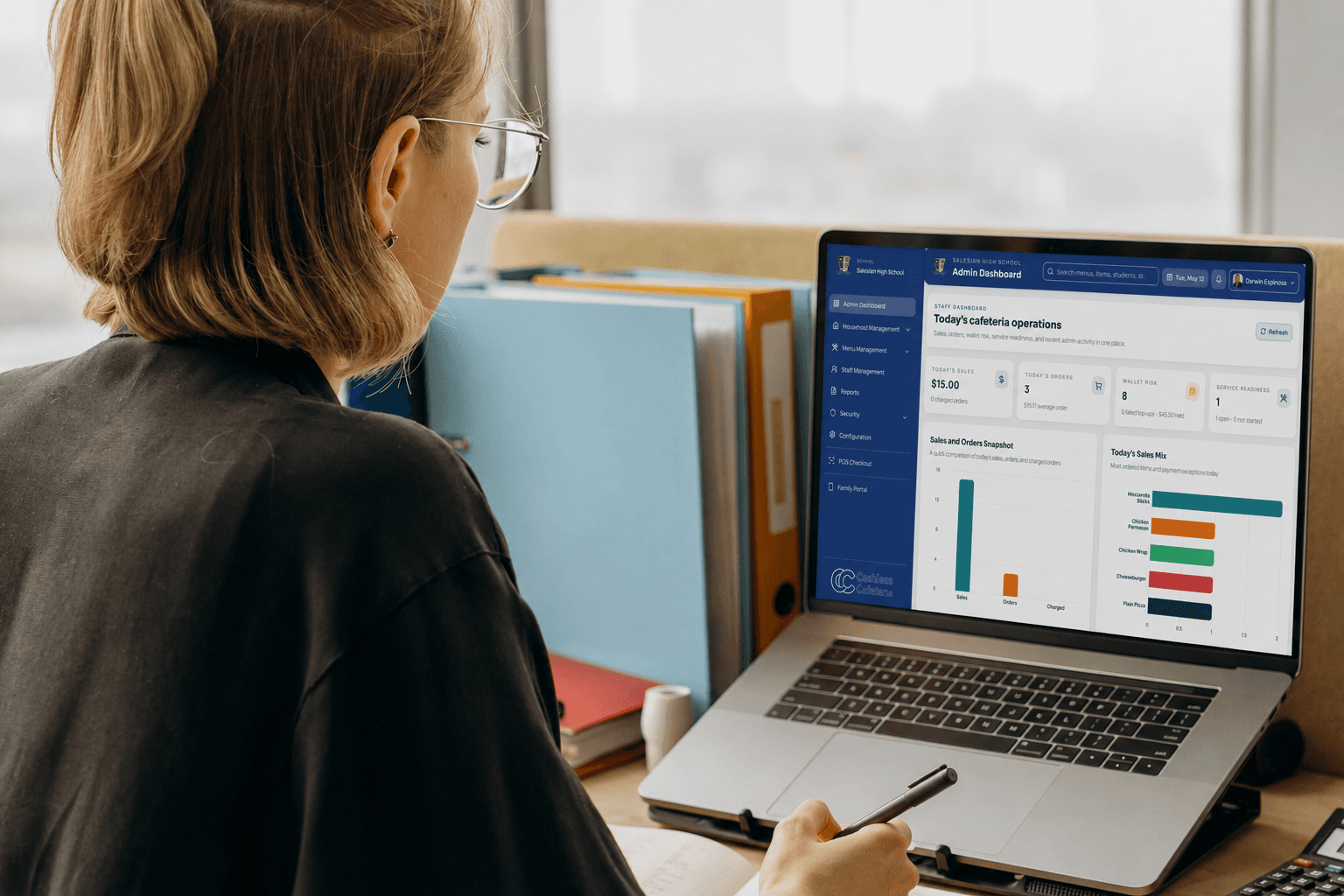
School operations administrator and cafeteria leader reviewing service readiness together

Checkout

Right account. Clear order.

One operational picture

The lunch line, family accounts, and school reporting—connected.

Families

Funds and activity in view.

One connected journey

From first scan to a clearer school day.

Cashless Cafeteria brings the essential steps together without forcing cafeteria teams, administrators, and families into the same experience.

01

Identify

Find and confirm the right student or staff account.

02

Serve

Build the order from the active menu and complete checkout.

03

Fund

Give authorized families a clear path to add and follow funds.

04

Understand

Turn purchases, balances, and activity into useful visibility.

See the complete cafeteria workflow

Explore the product suite

Purpose-built experiences. One connected platform.

Each product area is focused on the work in front of that person, while shared account activity keeps the full cafeteria story connected.

Cafeteria team member using the Cashless Cafeteria point of sale

The lunch line

Cafeteria POS that keeps the next student moving

Bring account lookup, student confirmation, menu-based ordering, and checkout status into one focused service experience.

  • Student and staff lookup
  • Verified account before checkout
  • Orders from the active menu
Explore this product
Parent reviewing a household cafeteria wallet on a phone

The family experience

Parent top-ups with clear payment and balance visibility

Give authorized family members a dedicated place to add funds, understand payment status, and follow cafeteria account activity.

  • Household funding
  • Visible payment states
  • Purchase and balance history
Explore this product
Students enjoying lunch together in a school cafeteria

The student account

Connected wallets built around the right account

Keep identification, purchases, balances, and household context connected so every completed order leaves a record people can understand.

  • Verified account identity
  • Balance awareness
  • Connected purchase activity
Explore this product
School administrator reviewing cafeteria activity and reports

School operations

Menus and reporting that turn activity into action

Organize products, categories, prices, menus, and service lines—then review the operational activity they create from one administrative experience.

  • Menu and item organization
  • Service-line readiness
  • Operational reporting
Explore this product

Connected by design

One source of activity. The right view for every role.

Checkout activity

Verified accounts, menu items, orders, and payment status.

Account activity

Household funds, balances, top-ups, and purchase history.

Cashless
Cafeteria

Connected platform

Operational activity

Menus, service lines, permissions, and school reporting.

Accountable activity

Clear states and transaction history for authorized users.

Product questions

What teams ask before exploring deeper.

Does the platform include both school and family tools?

Yes. School teams use administrative and checkout tools, while authorized family members use a separate family portal for funds and activity.

Can a school manage its own menu and items?

Yes. Authorized school users can organize products, categories, prices, menus, and service lines.

How do the product areas stay connected?

Checkout, household funding, account activity, menu configuration, and reporting share the records needed to keep each authorized experience aligned.

See the platform through your school’s workflow.

Tell us how lunch works today. We’ll focus the conversation on the product areas and roles that matter to your team.